
Forex VPS: What It Is and Do You Need One for MT5?
A forex VPS is a remote computer that runs your trading platform around the clock, so Expert Advisors and trailing stops keep working when your own computer is off. It earns its place when something on your account, such as an EA, a trailing stop or a signal subscription, must keep running without you.
Module 14 · Lesson 4 of 5
What you'll learn
- What a forex VPS is, and which parts of a trade keep working when your computer is off.
- How MetaTrader 5 virtual hosting works, and what it does and does not move.
- How to measure uptime and latency in plain numbers.
- How to decide when a VPS is worth running.
This lesson is part of the Trading Automation module.
What is a forex VPS?
A forex VPS (virtual private server) is a computer in a data centre that you rent and control remotely, used to keep a trading platform running 24 hours a day. It stays on and connected when your own laptop sleeps, restarts or loses power.
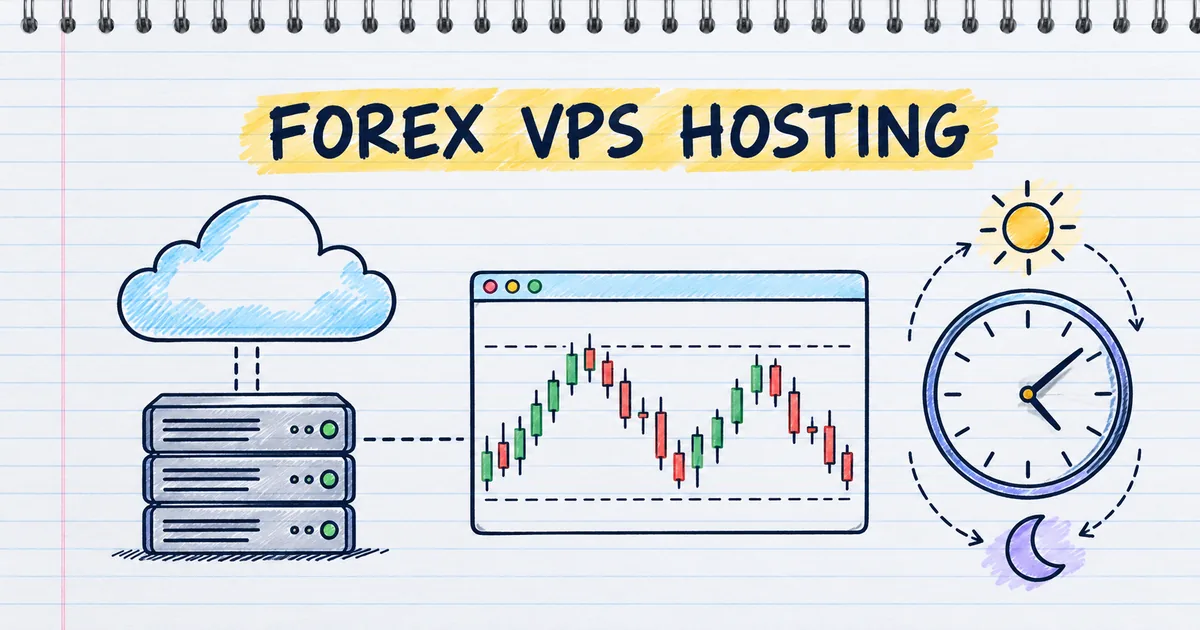
You connect to it with a remote desktop app, install MetaTrader 5, log in and leave it running. Its job is to stay on: the platform runs exactly as it would on your own computer, without the interruptions.
Key terms
- Uptime: the share of time a computer is on and connected, usually given as a percentage.
- Latency: the delay between your platform sending an order and the broker's trade server receiving it.
- Millisecond (ms): one thousandth of a second. Latency is measured in milliseconds.
What keeps working when your computer is off?
Orders already held on the broker's trade server keep working when your computer is off; anything your platform does by itself stops. MetaQuotes' help on basic trading principles says the trailing stop runs in the platform, not on the server like stop loss and take profit, so it does not work when the platform is off.
| What you set | Where it runs | Works with your computer off? |
|---|---|---|
| Stop loss and take profit | Broker's trade server | Yes |
| Pending orders already placed | Broker's trade server | Yes |
| Trailing stop | Your platform | No, its last level stays |
| Expert Advisor (EA) | Your platform | No, it pauses |
| Toolbox price alert | Your platform | No |
Trailing stop rules are in the trailing stop and partial close lesson, alerts in the MT5 price alerts lesson.
Why do traders use a VPS?
Traders use a VPS so that anything running inside their platform, mainly Expert Advisors, trailing stops and copied signals, keeps working through nights, power cuts and restarts. An Expert Advisor is a program that trades by written rules, a form of automated trading, and it can only act while the platform it runs in is on.
MetaQuotes' virtual hosting overview names three cases, a robot you built, an Expert Advisor bought from the Market and a Signal subscription, which all need a constant connection and uninterrupted power. Power cuts and unstable home internet make that hard for many traders.
What is latency, and how much does it matter?
Latency is the travel time of an order between your platform and the broker's trade server, measured in milliseconds. A server placed near your broker's server shortens that trip. MetaQuotes' virtual platform help shows this delay as ping in milliseconds and says lower latency gives better conditions for executing trades.
For example, a 150 ms delay is 0.15 seconds, which rarely matters for positions held for hours or days. A price gap is a market event, so an order in a gap fills at the next available price whatever the latency.
How does MetaTrader 5 virtual hosting work?
MetaTrader 5 virtual hosting is a VPS rented from inside the platform, paid through an MQL5.community account, that runs a copy of your platform on a server close to your broker. You prepare charts and programs locally, then migrate them to the virtual platform.
MetaQuotes' migration help sets out what moves:
| Moves to the virtual platform | Does not move or does not work |
|---|---|
| Open charts with running EAs and indicators | Charts with indicators but no EA |
| Signal copying settings | Scripts |
| Email settings and account connection | Non-standard timeframes and symbols |
| Market products running on a chart | Programs that call DLLs |
Price alerts are not listed, so set them up again on the virtual platform if you need them. Two rules from the same page:
- Automated trading is always allowed in the virtual platform. Turning it off in your local platform does not stop the hosted copy.
- Accounts that use one-time password authentication cannot be used on the VPS.
Migration runs one way, from your platform to the virtual one, each time you synchronise.
How do you calculate the uptime a VPS adds?
Uptime share = hours the platform is running ÷ hours the market is open. Forex trades around the clock on weekdays, about 24 × 5 = 120 hours a week, so you can compare a home computer and a VPS with simple division.
- Home PC on 12 hours a day, five days: 12 × 5 = 60 hours.
- Uptime share: 60 ÷ 120 = 50% of the trading week.
- A server stated at 99.9% uptime, over a 30-day month: 30 × 24 = 720 hours.
- Allowed downtime: 720 × 0.1% = 0.72 hours, about 43 minutes.
A stated uptime is the provider's target, so confirm your hosted platform is running by checking its journal.
What can a VPS change for a trailing stop?
A VPS keeps the platform running, so a trailing stop keeps moving instead of freezing when your PC restarts. You buy 1.00 lot of the EURUSD currency pair at 1.09300, worth about $10 per pip, with a stop loss at 1.09250 and a 300-point (30-pip) trailing stop.
Check other pairs with the pip value calculator. In MT5 the trail starts only once the profit reaches 30 pips, at 1.09600. Results are before costs.
What happens overnight:
- You buy at 1.09300 at 20:00, with the stop loss at 1.09250.
- At 02:10, with price at 1.09550, the PC restarts and the platform does not reopen.
- Price peaks at 1.09800 at 03:40, then falls to 1.09100.
| Platform running (VPS) | Platform off from 02:10 | |
|---|---|---|
| Trail starts at 1.09600? | Yes | No |
| Stop loss at the 1.09800 high | 1.09500 | 1.09250 |
| Exit when price falls | 1.09500, +20 pips | 1.09250, −5 pips |
| Result on 1.00 lot | +$200 | −$50 |
The position was never unprotected: the 1.09250 stop sat on the server throughout. It simply did not improve.
Do I need a VPS for forex trading?
You do not need a VPS for forex trading if you trade by hand and nothing on your account must move while you are away. Stop loss, take profit and pending orders already sit on the broker's server. A VPS becomes useful when an EA, a trailing stop or a signal subscription must keep running.
| Own computer | Third-party VPS | MT5 virtual hosting | |
|---|---|---|---|
| Runs when your PC is off | No | Yes | Yes |
| Who installs MT5 | You | You | Built in, migrated from your platform |
| Distance to broker server | Wherever you are | Depends on the data centre | Chosen near your broker |
| Runs DLLs and scripts | Yes | Yes | No |
| Extra cost | None | Monthly rental | Monthly rental via MQL5.community |
| Who secures it | You | You, on a rented machine | MetaQuotes runs the server |
What should you check before choosing a forex VPS?
Before renting a forex VPS, check its distance to your broker's server, its stated uptime, its security, its memory and the full cost terms. Compare current prices and terms across providers, and match the plan to the platforms and programs you will actually run on it.
| Check | What to look for |
|---|---|
| Location | Low ping in ms to your broker's server. MT5 virtual hosting picks the server closest to your broker |
| Uptime | A stated percentage, and how maintenance is handled |
| Security | Two-factor sign-in, updates, who else has access |
| Memory | Enough for every platform and EA you run |
| Cost terms | Monthly fee, rental length, conditions on free offers |
How do you run a forex VPS well?
You run a forex VPS well by paying only for what you use, securing the login, checking the hosted platform's journal and managing the hosted copy directly. A VPS runs whatever strategy you give it around the clock, so the setup on it deserves the same checks as your local platform.
- Cost: a monthly fee, paid whether or not your EA trades, so pick a plan that matches what you run.
- Security: the VPS holds your trading login, so use strong, unique passwords and two-factor sign-in.
- Hosted copies: an EA running on a VPS keeps trading on its own. Check the virtual platform's journal, and change or stop the hosted copy itself when you change your plan.
Try it on demo
On a MetaTrader 5 demo account, open a 0.01-lot EURUSD position with a stop loss and a 300-point trailing stop. Note both levels in the Trade tab, close MT5 for ten minutes, then reopen it. Compare the levels and read the Journal to see which ones moved.
Quick check
- Your computer switches off while a position has a fixed stop loss. The stop loss
- Your computer switches off while a trailing stop is active in MT5. The trailing stop
- Your home PC runs MT5 12 hours a day on weekdays. What share of a 120-hour trading week is covered?
- A server with 99.9% uptime over a 720-hour month can be down for about
- You switch automated trading off in your local MT5 after migrating to MetaQuotes virtual hosting. On the virtual platform, automated trading
Frequently asked questions
What is VPS in forex?
VPS in forex means a virtual private server: a rented remote computer that keeps a trading platform such as MetaTrader 5 running all day. Traders use it so Expert Advisors and trailing stops keep working while their own computer is off.
Does my stop loss work if my computer is off?
Yes. A stop loss and take profit run on the broker's trade server, so they work with your computer off. A trailing stop does not keep moving, but its last stop loss level stays.
Is there a free forex VPS?
Sometimes, with conditions. MetaQuotes lists a Sponsored plan for MT5 virtual hosting, in which your broker pays the rental if it offers one. The broker sets the conditions of the offer.
Does a VPS make trades faster?
It can shorten the delay between your platform and the broker's server when the VPS sits near that server. That matters most for EAs that trade often; for trades held for hours, the difference is small.
Sources
- MetaQuotes, MetaTrader 5 Help: Basic Principles (Trading Operations), accessed 19 October 2026: the trailing stop is executed in the trading platform rather than on the server like stop loss or take profit, so it does not work when the platform is off; orders that have passed the check wait to be processed on the trade server. https://www.metatrader5.com/en/terminal/help/trading/general_concept
- MetaQuotes, MetaTrader 5 Help: Virtual Hosting, accessed 19 October 2026: virtual hosting provides round-the-clock operation of the platform; use cases of a self-built robot, a Market Expert Advisor and a Signal subscription, which need a constant connection and uninterrupted power; a server near the broker reduces network latency; payment via MQL5.community. https://www.metatrader5.com/en/terminal/help/virtual_hosting
- MetaQuotes, MetaTrader 5 Help: Virtual Hosting, Register a Server, accessed 19 October 2026: registration starts from the Navigator with Register a Virtual Server; the server closest to your broker is chosen; longer rental periods cost less per period; a Sponsored plan is free hosting paid by your broker, depending on the broker. https://www.metatrader5.com/en/terminal/help/virtual_hosting/virtual_hosting_server
- MetaQuotes, MetaTrader 5 Help: Virtual Hosting, Migration, accessed 19 October 2026: migration copies open charts, signal copying parameters, running Expert Advisors and indicators, email settings and Market products; charts without Expert Advisors, scripts and non-standard timeframes and symbols are not transferred; DLL calls are forbidden; accounts with one-time password authentication cannot be used; automated trading is always allowed in the virtual platform; migration is one-way at each synchronisation; price alerts are not listed. https://www.metatrader5.com/en/terminal/help/virtual_hosting/virtual_hosting_migration
- MetaQuotes, MetaTrader 5 Help: Working with the Virtual Platform, accessed 19 October 2026: ping in milliseconds shows the network delay between the virtual server and the broker's trade server; lower latency gives better conditions for executing trades; the virtual platform keeps a journal of its events. https://www.metatrader5.com/en/terminal/help/virtual_hosting/virtual_hosting_terminal
Practise what you learned
Open an account to use MetaTrader 5. Start on a demo account before risking real money.
Open Account