
MT5 Advanced Features: A MetaTrader 5 Power User Module
Module 9
Lessons in this module
- 1Pending orders in MT58 min
A pending order is an instruction to buy or sell later, only when the price reaches a level you set. In MetaTrader 5 you place one with F9 and Type set to Pending Order, then choose the price, volume, stop loss, take profit and expiry.
- 2Trailing stops and partial close8 min
A trailing stop loss is a stop loss that follows the price at a set distance as a trade moves your way, and never moves back. In MetaTrader 5 it runs inside your terminal, so it stops updating when the platform is closed or offline.
- 3Templates and profiles in MT58 min
To save a chart template in MT5, set up one chart, right-click it and choose Templates, then Save Template, and give it a name. A profile goes one step further and saves every open chart and its layout.
- 4MT5 price alerts8 min
MT5 mobile price alerts are created in desktop MetaTrader 5 and arrive on your phone as push notifications through your MetaQuotes ID. MetaQuotes’ mobile help covers receiving them in the app, not creating them there, so use the Notification action on desktop; an alert never opens a trade.
- 5Depth of Market in MT58 min
Depth of market in MT5 is a window that lists the buy prices (bids) and sell prices (asks) around the current price, with the volume shown at each level. For many forex CFDs those levels come from your broker’s quotes, not a central order book, so read them as a live snapshot of prices and sizes.
About this module
MT5 advanced features are the MetaTrader 5 tools that help you manage orders and charts more precisely, such as pending orders, trailing stops, partial closes, saved chart templates and profiles, price alerts and the depth of market window. They make routine tasks faster and more consistent, while your position size and stop loss set the risk on each trade.
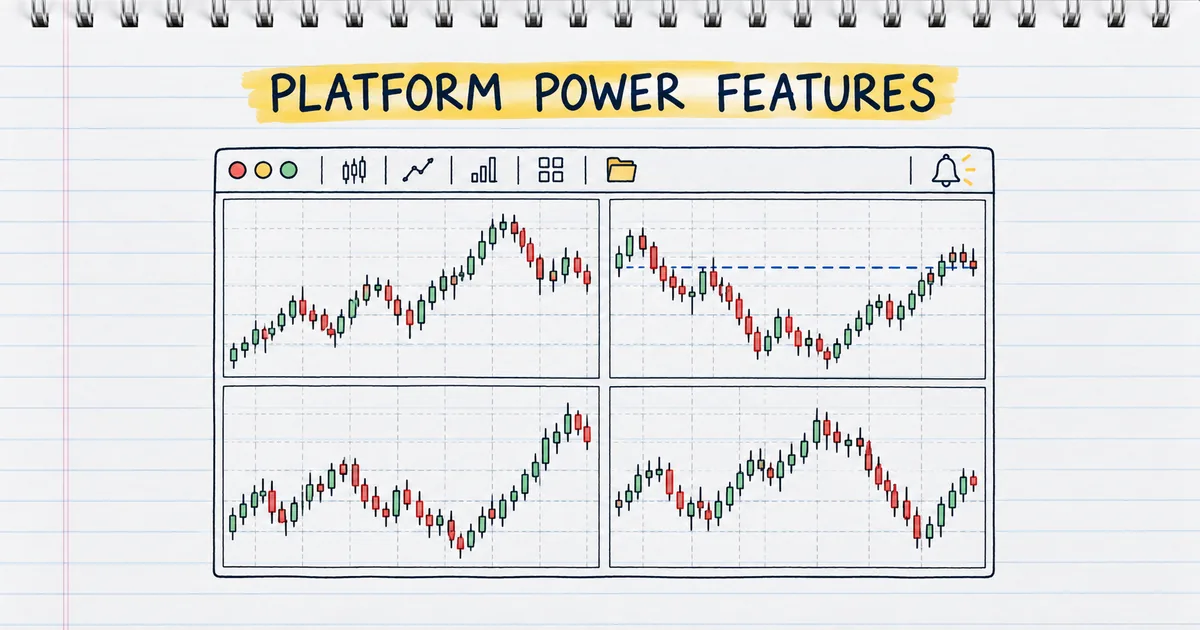
The module has five practical lessons. You place and manage pending orders, set a trailing stop and close part of a position, save chart templates and profiles so your workspace loads the same way each time, set price alerts on desktop and mobile, and read the depth of market window to see the liquidity around the current price.
You should already be comfortable with the platform from Module 3, MetaTrader 5 Basics, especially order types and stop loss and take profit. Practise every step on a demo account first, then use it on your live account.
What are the most useful advanced features in MT5?
The most useful advanced features in MT5 are pending orders, trailing stops, partial closes, chart templates and profiles, price alerts and the depth of market window, plus one-click trading and the Strategy Tester. Each saves time on a task you repeat every day.
| Feature | What it does | Where in MetaTrader 5 desktop |
|---|---|---|
| Pending orders | Enter at a set price without watching the chart | New Order (F9), type Pending Order |
| Trailing stop and partial close | Lock in profit as price moves; bank part of a position | Toolbox, Trade tab, right-click or double-click a position |
| Templates and profiles | Load indicators and chart layouts in one click | Right-click a chart, Templates; File, Profiles |
| Price alerts | Notify you, also on your phone, when price reaches a level | Toolbox, Alerts tab |
| Depth of market | Show bids and asks around the current price | Right-click a symbol in Market Watch |
| One-click trading | Place market orders straight from the chart | Tools, Options, Trade tab |
Which MT5 features work when the platform is closed?
Pending orders, stop loss and take profit sit on the broker's server, so they work with MetaTrader 5 closed; trailing stops and Expert Advisors run in your terminal and stop when it closes. Price alerts set on desktop also need the terminal running, and a VPS keeps terminal-side tools working around the clock.
That split decides how you plan. A pending order with its stop loss and take profit attached can run overnight with your computer off. A trailing stop keeps only the last level it set once the platform closes, as the trailing stop lesson explains, and a forex VPS solves that.
How do you set up MT5 for faster trading?
Set up MT5 for faster trading by saving a chart template with your indicators, saving a profile with your chart layout, enabling one-click trading and setting alerts at your levels, so each session starts ready. It takes a few minutes once and saves that time every day.
Learn the shortcuts too: F9 opens New Order, F8 opens chart properties, Ctrl+M shows Market Watch and Ctrl+T shows the Toolbox. Saving a template under the name default applies it to every new chart you open.
What do traders ask about MT5 advanced features?
Traders ask four things first about MT5 advanced features: whether they work on mobile, whether they cost extra, how to back up a workspace and which feature to learn first. The answers below each stand alone, with links to the lessons that cover them.
Do MT5 advanced features work on mobile?
Pending orders, stop loss and take profit work in the MetaTrader 5 mobile app. Trailing stops, templates and profiles are desktop features, and price alerts are created on desktop and then arrive on your phone as push notifications.
Do MT5 advanced features cost anything?
No. Every feature in this module is built into MetaTrader 5 at no extra charge. Paid extras are optional, such as a VPS or products from the MQL5 Market.
How do you back up your MT5 setup?
Open File, Open Data Folder, then MQL5\Profiles. Templates are .tpl files in the Templates folder, and each profile is a folder inside Charts. Copy them to the same place on another computer, as the templates and profiles lesson shows.
Which MT5 feature should you learn first?
Pending orders, because they let you enter at your planned price with the stop and target already attached, without watching the chart. Start with the pending orders lesson.
Practise what you learned
Open an account to use MetaTrader 5. Start on a demo account before risking real money.
Open Account